
Stage View 2
Preview every window in a Stage Manager group
Stage Manager’s group thumbnail is too small to read. Hover the group — Stage View 2 shows each window, with its app icon and name, so you can activate, minimize, close or expand it without opening the wrong one.
Official download from MacPlus Software
Version 2.0. Requires macOS 14.6 or later. Native for Intel and Apple Silicon.
See what’s inside every Stage Manager group
When windows share a Stage Manager group, the strip on the left collapses them into one tiny preview. After a few apps, you cannot tell which document or browser window is which. Stage View 2 is built for that.
Hover the group. Choose the window.
Move the pointer over a grouped Stage Manager preview. Stage View 2 opens a panel with a thumbnail for each window in that group. Each thumbnail shows the app icon and name when macOS provides them.
Hover the group. Pick the window.
Act from the preview
Minimize, close or make a window full-screen without bringing the whole group forward first. Click a preview to activate that window. Click it again to switch to the group.
Hover the group. Pick the window.
Set the preview size, delay and theme
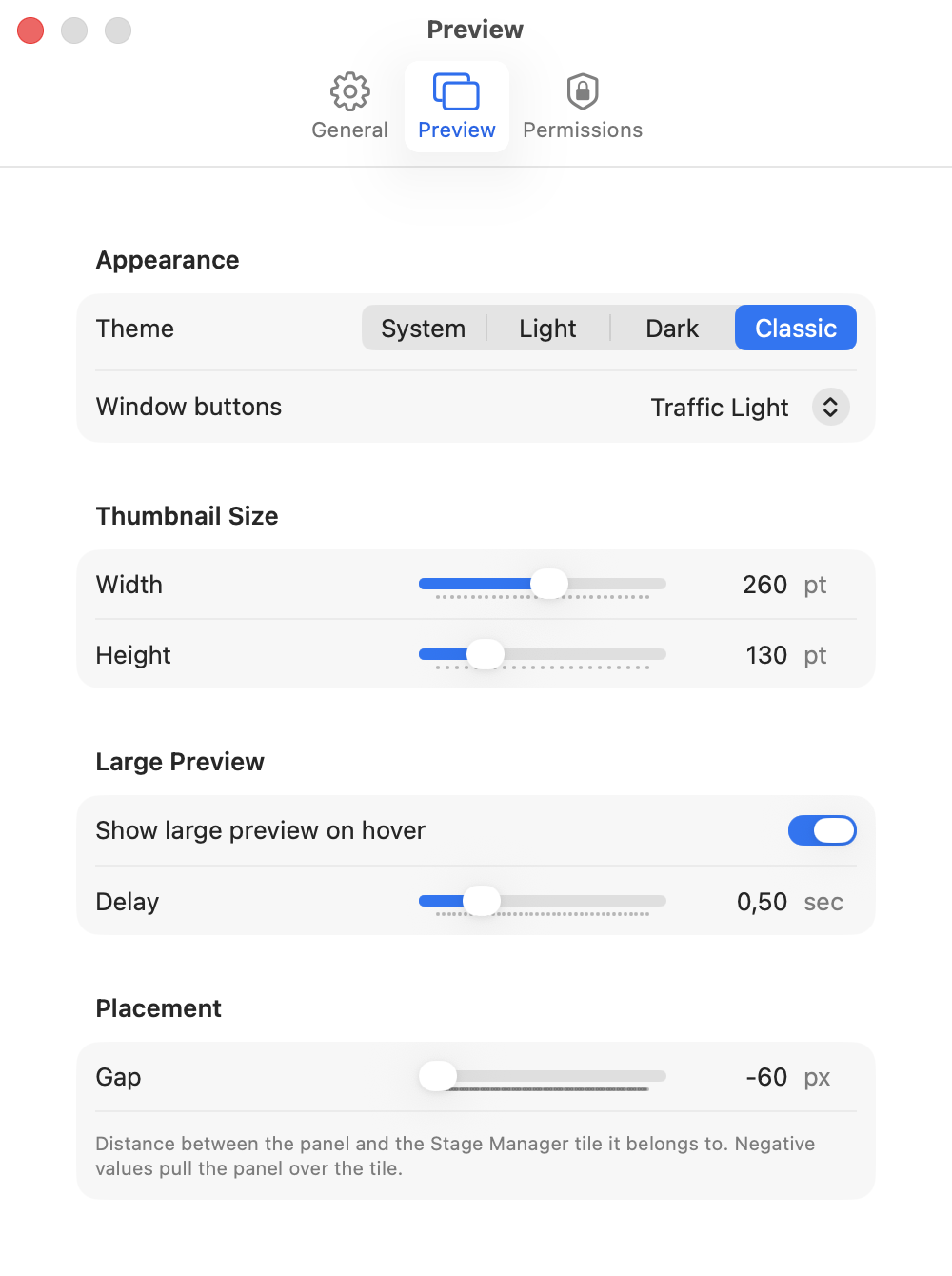
Change how large the previews are, and add a short delay so they do not appear the instant the pointer crosses the group. You can hide previews for single windows. Classic, dark and light themes are available.
Stage View 2 is for Stage Manager, not the Dock
Stage Manager is a macOS feature, not a separate Apple app. Stage View 2 sits on top of it and only helps with grouped windows.
DockView shows window previews when you hover a Dock icon. ActiveDock replaces the Dock. Stage View 2 is only for Stage Manager groups. For an overview of every window and desktop outside Stage Manager, see Quick Exposé 3.
That Stage Manager preview also lives in DockView 2. If you already bought DockView, you do not need Stage View 2. Stay here if you only want the Stage Manager part, without the rest of DockView.
See it in action
Hover the group. Pick the window.
What’s new in Stage View 2
Stage View 2 is a rewrite for current macOS. The large preview on hover is easier to read, and the app matches the system versions it actually supports now. If you already bought a licence, it still works.
Questions
Does Stage View 2 replace Stage Manager?
No. It works with Stage Manager. The group strip stays. You get a readable preview of what is inside it.
How is it different from DockView or ActiveDock?
Stage View 2 is only for Stage Manager groups. DockView is for the Dock, and it also previews Stage Manager groups. If you already have DockView, you do not need both. ActiveDock replaces the Dock.
Do I need to buy Stage View 2 if I already have a licence?
No. This is a free update. Licences are lifetime. A Standard licence from version 1 still works — you do not need to buy again.
What Macs does it support?
macOS 14.6 or later, Intel or Apple Silicon. Stage View 2 will not run on earlier system versions.
Can I try it before buying?
Yes. Download the app and try it. Buy a licence when you want to keep it — $7.99, one-time purchase through FastSpring.
Get Stage View 2
Preview the windows in a Stage Manager group, then pick the one you need.
Official download from MacPlus Software
Version 2.0. Requires macOS 14.6 or later. Native for Intel and Apple Silicon.