
Problem: macOS Dock is the command center for your Mac. With Apple Dock you can run applications, switch between apps, open documents and links.
Unfortunately, Apple Dock lacks many useful features such as Window Management and Switching between Windows, appearance Customization, Hiding app icons.
Solution: ActiveDock is a full replacement for Apple Launchpad and Dock with many new features.
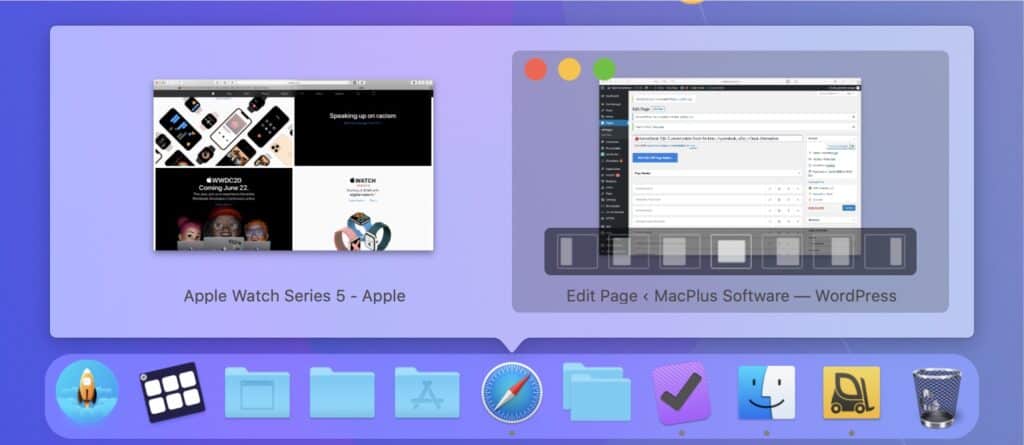
ActiveDock allows grouping of documents and apps, quicker switching between apps and windows, manage windows right from Window Previews panel.
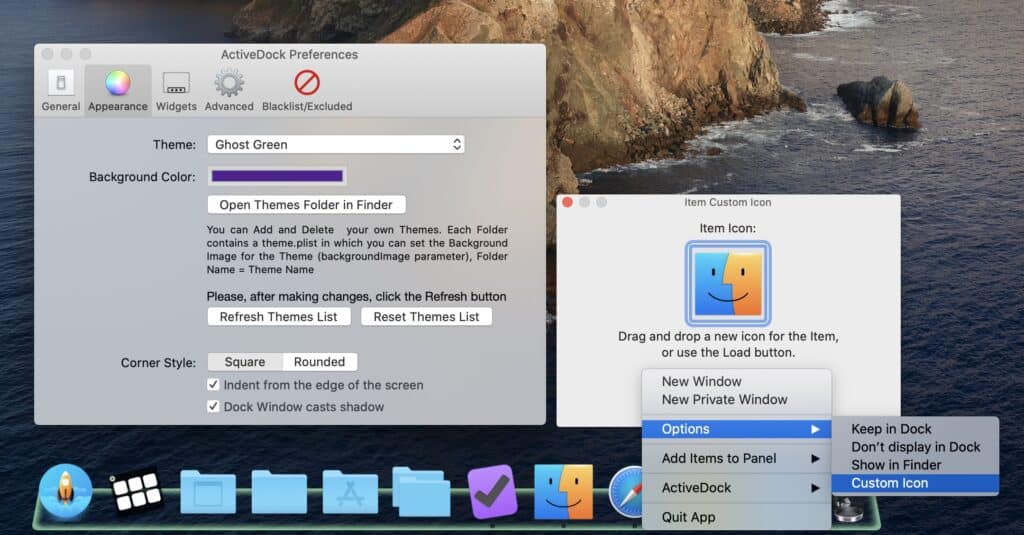
Also, you can customize the appearance of icons and the dock itself as you need. At the same time ActiveDock looks and behaves just like Apple Dock so you won’t need to get used to it. It’s the same Dock, but better, and will be even better with every new version.
It is also a great alternative to legacy Hyperdock, uBar, cDock, Dragthins and other similar applications.
Requires macOS 11.5 (Big Sur) or later. macOS 26 (Tahoe) and Apple Silicon (M1-M5) fully supported.
Last updated 15 February. Current version: 2.860 (2860)
You have many running apps and windows open?
Switching between them taking too much time?
With the help of Window Preview you can quickly find the window you need,
place it wherever you need and quickly switch to it.
Groups and Folders can help you to organize elements
by topics (design, development, copywriting) and to reduce chaos.
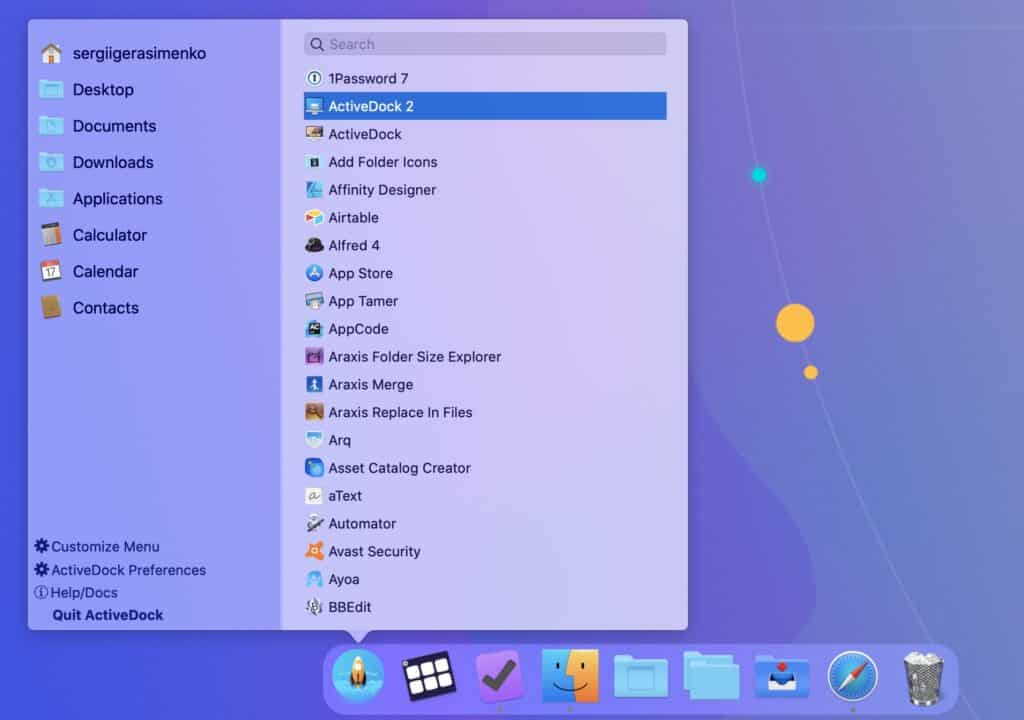
Customizable Start Menu and custom icons allow you to find apps,
files or folders you need, saving you time.
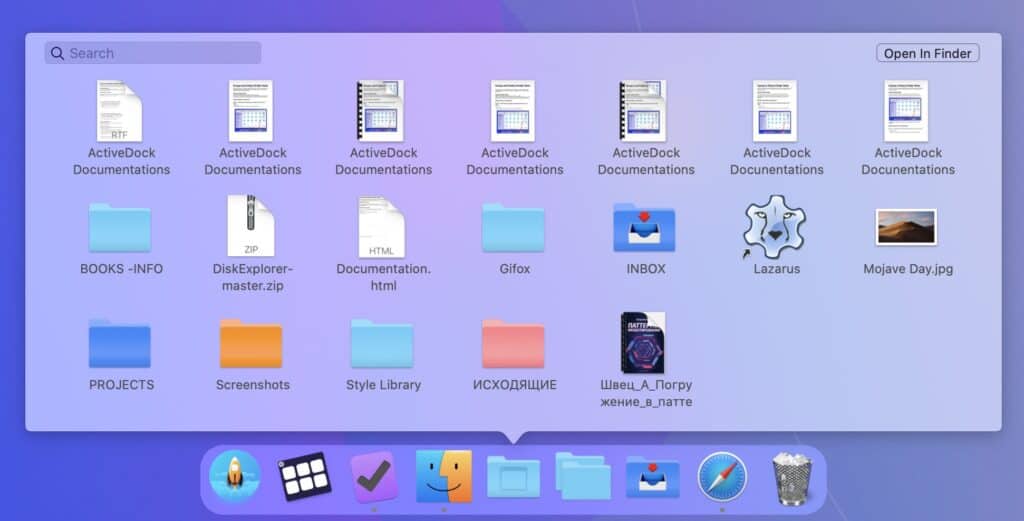
Additionally, with Folder Views and Groups feature you will have the most important files right at hand.
Display only what’s really important and hide everything else that is not required for your current task.
With the help of custom themes, you can make your Dock unique.
Custom icon sets will not only make your Dock beautiful
but will also allow you to find the app you need faster.
With Window Previews feature you can quickly find the window you need,
switch between windows or place windows to the front of the screen.

With the help of custom themes you can make your Dock unique.
Custom icons for apps not only make your Dock beautiful, but also allow you to find apps you need quickly.

![]()
Organize apps and documents into Folders and Groups.
Folder View feature allows you to add to the Dock a stack with the contents of your chosen folder for quick access.
Groups feature allows to create a virtual folder in the Dock or Start Menu with the links to any file you need.
Read more in the Documentation

Allows you to quickly start apps, open documents and folders.


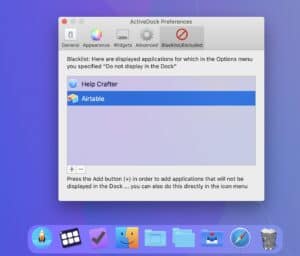
With ActiveDock you can exclude hidden apps from the Dock,
or add some apps to the exclude list to completely hide them from the Dock
to avoid any distractions in your work.

ActiveDock 2 works on macOS 11 (Big Sur) or higher. Fully compatible with the latest macOS 26 (Tahoe).

Intel and Apple Silicon (M1-M5) fully supported
![]()
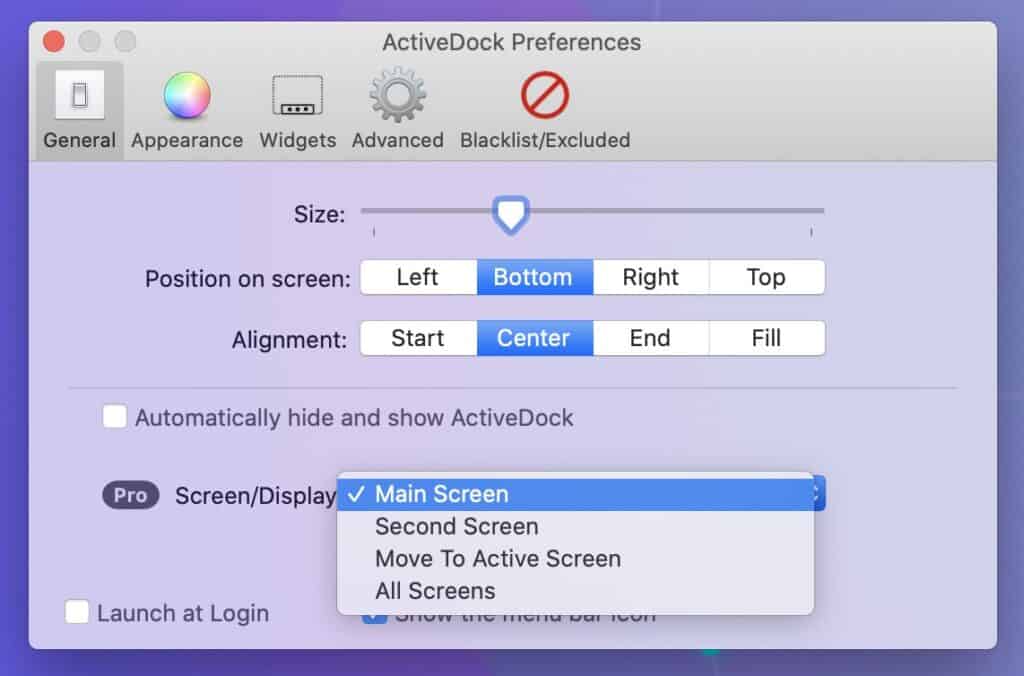
⭐️⭐️⭐️⭐️⭐️John Big Fan of ActiveDock . Here’s why. As far as I can tell, it’s the only OS X dock app that meets my specific use case. As a best practice, having the dock on the vertical edge (left or right) makes the most sense as it takes away almost no useable resolution. I am right-handed so I like the dock on the left side. It’s also under the Apple logo for convenience. (Note: It takes a few days to get used to it, but then it’s worth it.) Now, when I use two monitors, the “second” one is to my left. Unfortunately, the native OS X dock does not give me the choice of which screen I want the dock to appear. It just puts it on the second monitor, left hand side. Enter ActiveDock. The app has more precision on the screen where it appears. So, I can put the AD2 dock on the left side of my main monitor and have the native doc on the left side of the second monitor. Now, you can’t be a power user without some improvement suggestions. There’s a biggie and a little one…
All in all, AD2 works as advertised and covers my use case almost perfectly.
⭐️⭐️⭐️⭐️⭐️I’ve use many application launchers (including DockShelf, and uBar 4), but none are as fast and flexible as ActiveDock. ActiveDock is the most adaptable and useable Dock replacement I’ve had the pleasure to use. And, each version just keeps getting better!
I used your app for about 5 minutes before deciding it is well worth paying for a lifetime license
It is great to be able to customise the dock again which has been difficult since 10.6.8. Excellent personal support! Thank you.
I had uBar before, but that was too windows-y for me, ActiveDock really brings the functionality to the Mac interface. Good job!
⭐️⭐️⭐️⭐️Powerful alternative to Apple’s macOS dock. All things considered, ActiveDock is an excellent alternative to the default macOS dock, especially since it comes with extra features such as window previews, dock themes, and a very handy start menu applet.
⭐️⭐️⭐️⭐️I bought the product because you write great software. I like having a second dock, especially with the functionality of ActiveDock which greatly expands the abilities of the Apple Dock. I use the Apple Dock to show active applications only while using ActiveDock contains commonly used apps and the Start Menu for all the rest.
Requires macOS 11.5 (Big Sur) or later. macOS 26 (Tahoe) and Apple Silicon (M1-M5) fully supported.

Last updated 15 February. Current version: 2.860 (2860)